Showing posts with label work. Show all posts

Wednesday, September 17, 2008

Updates

First off, I'll admit I am not posting here much. Not tired of blogging as much as I am overloaded with it. Many of the things I want to talk about in this sort of detail are about mobile telephony, or design, so I just put them on the company blog. Sometimes quite random gripes, or personal news (Alison won a cool phone at a developer conference) and usually several a week:

http://www.littlespringsdesign.com/posts/


Since I get asked by folks who know me, and no one else from the family, my dad's cancer update: He's still got it. Scan results just revealed this morning show the big ones shrinking, but not disappearing. Disappointingly, very small spots are now appearing in the liver, adrenal glands, a rib, some spinal bones, and some other places. We were always worried that the fact it had metastasized to the brain meant that it might be everywhere else, and it has. They are small, so there's time and the chemo is beating it up a bit, but eventually that will probably add up and get to him.

However, the new set of doctors are much, much nicer. And the new treatment center is rather nicer and closer. That all helps. The docs say he's still super-strong, so there's a long ways to go still.

Tuesday, August 12, 2008

Word of the day

I swear I am not bored today. Just randomly running across stuff too cool to keep to myself. This may be getting weak, but I liked it, especially as I actually am semi-knowledgeable about typography. And sort of a nerd for all sorts of stuff like this. I have a whole book on units of measure, and still didn't recognize this.

Twip

This definition from wikipedia seems good. Short version: It's a 20th of a point. So, very small. I ran across it deep in my S60, which is noted even in the wikipedia definition. I wonder why they use it? My only thought is they didn't want to have fractional sizes, so someone years ago broke open /his/ dictionary of measures and picked some arbitrarily small unit. But I like it.

Clicking behavior in web browsers

I got challenged earlier today to back up our assertations that history menus in web browsers are poorly used. So, off to the internet to do research. Or, rather, find other's research. Found a really neat paper that solved all our problems. A 2007 study (and there are no others for years before) that looks at lots and lots of user click data, and reviews the whole state of the browser today vs. what it's being forced to be. Worth it if you design interactive systems at all, and especially for any of the webs. If you have an ACM account, you can download the paper from here: http://portal.acm.org/citation.cfm?id=1240624.1240719 Or, there's a slideshare of it in summary.

What I do

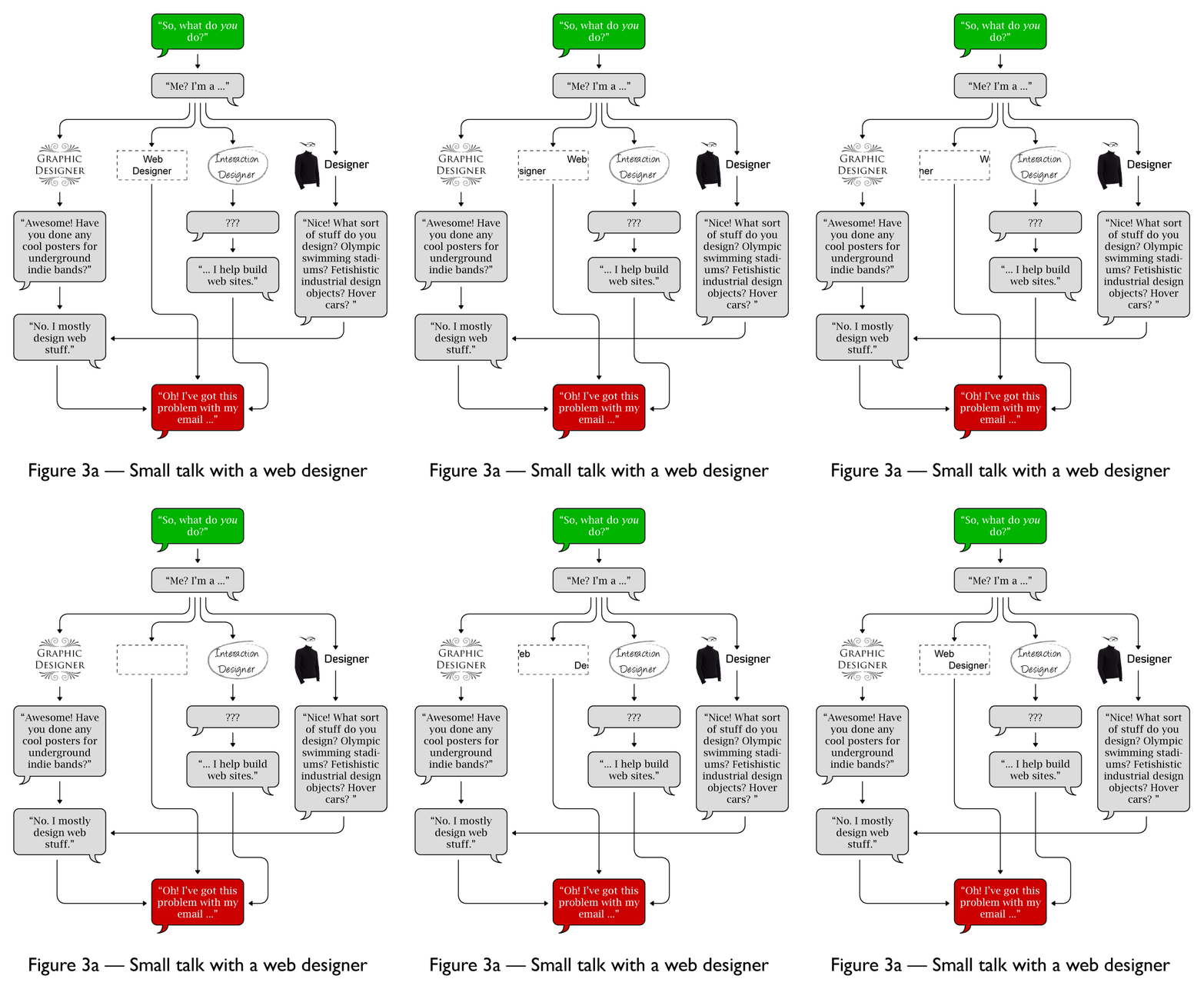
From Cameron Adams in response to this question about how to describe your job title. My answer is buried in there, and since some script on the page causes my browser to all but crash, I'll copy it for you here.
1) There are many kinds of designers. We forget, but there are software designers, database designers, process designers. All sorts of stuff is not graphical or visual in nature, but needs to be designed. I am not upset to be grouped in with the guys who design the flow of materials across a factory floor to become a product. At all. 2) Interaction is a bad word. There just is not a better one. Yes, experiences and interactions abound. I have given up, and just consider computer/digital=“interactive” for all these purposes. Everyone knows what you mean. 3) As a guy with an art degree, whose spent his whole career doing interactive and graphic design: design is not art. DThe solutions artists use are similar, but the intent is different. I, for one, am totally cool with you taking /any/ meaning out of my artwork. I am disappointed, and maybe not paid, if you get the wrong meaning out of a design, regardless of medium. I also could be persuaded to argue something about most art being consumable, vs. truly interactive. But I haven’t really gotten my head around that yet. 4) Why do we need titles. They have always been about folks who already know the industry. Short descriptions are just fine. "I design airplanes for Boeing." "I design radio systems for the Santa Fe railroad." "I program robots for a factory in KCK." "I design interactive systems for mobile phones." This works for 70% of those I meet at parties or on the street. Confused followup is always around the misunderstanding that software and hardware are separate design efforts, and they think I work for a phone manufacturer.
So, aside from my mom, who really doesn't understand what I do now?

Tuesday, October 9, 2007

Design DVD

I subscribe to some of the netflix rss feeds, including the new releases one. Why do you think I have 1200 disks spread over half a dozen queues? So much neat stuff comes out. Anyway, I saw this Design disk (or, on netflix and couldn't resist. Got it and pushed to the top of the queue.
It was really neat, and very interesting for any designer, despite focusing on dimensional products. While they were all produced by the same people, in the same style, each product was a free-standing segment, so I'll briefly cover them each that way. The DS19, turns out to be the epitome of the Citroen, the one that I suspect all Americans hate, with the rear axle way at the back. But its still really interesting seeing how Flaminio Bertoni changed stodgy designs, and more or less invented some of the modern auto methods of modeling cars in clay, for example. Nice addressing of function, not just form, and problem solving (like chopping off the back of the car to fit it into typical garages, then hiding the odd shapes with lighting enclosures) and even production troubles. This one had no talking heads, presumably because all the designers are long dead, but it does ask for a bit of trust to the narrator.
The choice of the Bubble Club sofa and chair baffled me. Its as cool as cool can get, but iconic? Cheap? Maybe its just a U.S. problem. Did I forget to mention this is a French DVD? English language track works fine, and its beautiful, but the cultural references are sorta remote, and well, its a French film. Minor nudity, believe it or not. Anyway, Starck himself talking about the genesis of the Bubble Club is great. He even draws for us to explain things; I love seeing other people who cannot bring themselves to describe things without drawing.
The Bic pen segment was nothing special. Partly because no designer was involved. A bunch of engineers were set to task by Marcel Bich and that's it. Needed more exploration of why it looks like this, and how that's helped. Instead, it was treated as a marketing phenomenon in many ways, and didn't fit in like the others.
Akari lamps. I particularly enjoyed that I watched this on a TV flanked by two of the more organically-shaped ones. I always knew these as Noguchi lamps, as I learned about them in design school, so attributed them directly to the designer. Nice background on him, including some old interview footage where he talks directly about design emerging from sculpture. I'd always gotten a very simple and slightly cut-down version of the lamp-creation myth, but this went into some detail about revitalizing the lamp industry by making a modern design, which is good (interesting) in that it's about making a product that meets the needs of customers, the need for the manufacturer to be able to make it (and make money) and the overall needs of the economy to have good products and employ workers. Really outstanding footage (and description) of the manufacturing process. Apparently, they are all hand-made still.
The Hoover 150. Henry Dreyfus, of many other objects, like the model 500 phone and many Singer sewing machines, did well partly because he worked with the engineers and manufacturing side, so could make things actually work. Overall lots of discussion of the streamline style, with some nice socio-economic tie-ins, and fantasy designs as well as other real products. Nice cutaways and diagrams to show off how the previous model was mechanically very similar, and Dreyfus in large measure just improved it by encasing it, using new metallurgy to lighten it, and so on. Nice coverage of anthropometrics as well, since he was a trend-setter and had to make his own "average" man and women models (Joe and Josephine). The iMac suprised me. Sure, its clear and everything, but I still have an iMac DV in the other room, so it feels too proximate to judge in the sense of these other 50-70 year old items. I'm even using an original iMac keyboard at work every day. Yet, they do an okay placing it in the bio-design movement and cover why it is designed this way, and how this matters.
Some nice historical computer overview. Not just "punchcards came from weaving" but newly-shot film of such looms, and other punchcard machines, as well as some neat stock footage of all sorts of old computer equipment and its use. Lots of stock is used in all of these segments, but its French stock, so I had seen about 1% of it before. Hence, fresher than you'd think. Johnathan Ive is way younger and more cool than I had thought. And, he's English. I always thought he was American for whatever reason. Lots of good talking head video of him here. Ive says its translucent because its a celebration of the material (not mentioned, but see Good Design), but he mostly went on and on about the translucency giving a lush external finish; the "surface" changes all the time, baed on angle, time of day, etc. He seems to not buy ("fairly specious argument") that if you can see inside its less terrifying. Which contradicts some of what the narrator just said, which is funny.

At Sprint, only 9 of 10 bad things are true

I've avoided saying much about my time at Sprint, even now that I've left; I still know people there, they are a client, etc. But, I am fine letting other people say it. Read Martin Geddes' list of 10 things Sprint did/does wrong. Okay, I'll comment a little. Number 5 is overstated. I've worked with some top-notch people at Sprint despite the locale. I'm surprised by the portability of today's workforce. And we built (or almost built) some great stuff. If anything, the issue is #6, preventing that workforce from doing the job they are paid to do. Despite my apparent pessimism, I have high hopes for things like WiMax. And, despite Sprint continuing to drop, I think the news of the Vonage settlement is nothing but good. Lawsuits are no way to run a company.

Friday, October 5, 2007

One more small step for location enabling

This entry is also posted at the Little Springs company blog. If you feel compelled to comment, I'd do it over there as its quite a bit better read. The WAP Review blog sums up what I was just saying the other week about LBS.
From a purely technical perspective, finding the user is as easy as it gets in terms of LBS technology. The government's E911 mandate means the carriers already have this technology in place. However the business, privacy and political barriers to being able share this data on a mobile network is another story.
But follows up with this news that:
One of those barriers has fallen. For the first time a US carrier has given users the ability to share their location with a third party mobile web site. Granted, the third party is Microsoft, but it's a start, ...
Note that the press release refer to GPS, as always, even though its pretty obviously (and seamlessly) using lower-precision methods when the satellites aren't visible. Its not the ubiquitous context-enabling technology I'd like to see, but it certainly sounds reasonably easy and better than you'd expect. Now, if Sprint would just open up like they claim they will for the WiMax product, and offer the same service without giant strategic partnerships, we'd all be better off. But its proof the carriers can do it anytime they want to. As long I'm on location technologies again, I wanted to mention Nokia's Point and Find. There's a useful video of this that I embedded on the work blog. It involved installing players as its an FLV, and I haven't gotten around to doing that stuff on the home server yet. They talk a lot about it essentially replacing QR codes (good!) but I like the part where its a location service: point at a building, and look for ATMs near "here." While this is clearly pretty new and edgy — and building a useful searchbase outside of the bay area will take forever — its good to see the principle applied of using whatever technology and information there is on the device, and in the environment to provide a better and more relevant experience. I'd also like to see services like this (and yes, I know there are others working on it also), like Akoo, and Shazam investigate always-scanning modes. I'll bet everyone will be paranoid about the technology, but if the device could be listening or looking and decide you are in a restaurant, vs. on the busy street 10 feet away, it could react much more appropriately in many ways.

Saturday, September 22, 2007

Worst error message this week

Alison got some bad pillowcases from Garnet Hill, and was very sad because they are cool but fell apart in the first washing. Unusual these days, and we buy from them a lot. So, she fills in, at some length, the return form, and gets this: Kanji detected? Let me count the ways this is bad:
  • It's not that obvious it's an error message. Alison was frustrated at the page recycling for no clear reason, and had to look about a bit to find the new message.
  • On recycle, the pulldown selection is lost. So I have to reselect it each time. Why? Is it secret info I wouldn't want to feed back to the browser unmasked?
  • What's broken? She could not figure it out, even basically. I surmised from working with IT guys and fixing (or failing to fix) error messaging that its very literal. "Message" at the front is the field label. So I can disregard the rest of the fields. Highlighting or otherwise clearer labelling would be nice.
  • Kanji?!?! In a word, WTF is that? I know, but really, who else does? Okay, I see the switch for "Customers in Japan" in the corner, so who reading the website in EN-US knows this? Not Alison, that's for sure.
  • Why do they care? Why can't I use any character encoding I want? There's a Japanese version of the site, so double-byte characters can be stored in their datastore. And if not, just live with "unknown character" spacers. I see this all the time from people with weird emailers.
So, I quiz a little, and find out she typed it in Word to reduce the chance of loosing it, and spell check and so on. I find (pulling the content into a text editor, a few auto-recoded characters, like hree periods turned into ellipsis and so on. Eventually, I get to the heart. Its the apostrophe. On the fourth line, "can't." The one that the browser has rendered as a single quote just fine, somehow cannot be read in by the software as the correct character, or just disregarded as unknown, so I have to meticulously edit the content. We got it sent off, but its infuriating in its pointlessness and waste of code and resources.

Friday, September 14, 2007

Process, procedure & methodology

This entry is also posted at the Little Springs company blog. If you feel compelled to comment, I'd do it over there as its quite a bit better read. Interactive design is exactly like making a pizza No, its not. At all. Its also not at all like building a house. Or changing the tires on a car at 60 mph. Or any other favorite analogy your leadership has used to describe the situation. Sometimes, this analogy work goes quite a bit too far. Inappropriate analogy – or blindly inherited process – encourages inappropriate process and methodology. Houses need blueprints, then foundations. Do websites? I think that considering design and code to be “construction” leads to incremental approaches and a misunderstanding or misapplication of iterative design, for one example. Its time that interaction design (and software development) comes into its own, and can be understood without arbitrary analogies. To that end, what is a design process and how can it be applied to design work? Process – Making the business work Process is about business practices. How to get business, how to account for time spent, how to assign people and so on. Some of these will be performed by the design team. You are likely to have internal staffing processes, for example. However, since they are about internal functions, not design, they are business-oriented, and are process. Processes are also enterprise- or product-wide. Everyone has to abide by the same process or it won't work. If a strict set of rules can be applied, but the result will change over time, or as internal conditions change, it's a process. Think of scheduling new work; any designer (ideally) should be able to do the job as well as any other. Which one is assigned is dependent entirely on workload, scheduling, and generally internal and transient conditions. The conditions of the designed produce have little or nothing to do with it. Procedure – Working with others Collaboration requires everyone be on the same page. The quickest way to this is to make sure everyone does their job, and communicates, in the same way. The difference between process and procedure is that “doing stuff the same way” part. Procedure is needed for any workgroup large enough to warrant a process. Not only does the process need procedures like paperwork and meeting times, but each functional team will have them. The process for design teams will include artifact creation styles, storage, sharing and other collaboration-related functions, within the team, with clients and with consumers of your design work. Other departments will have their own procedures, by the way. Work within yours, and be aware of others' but try not to confuse them with process. Methodology – How you design The manner in which you work is a method. When this is repeated and codified and applied uniformly it's a methodology. Since we're talking about design, methodology is about activities and artifacts directly related to the design work. Good methodology is about designing well. Since this is our field, I can go on for weeks about design methodology , so I won't do that. Yet. Your next steps Internal process, procedure and methodology are easy. Everyone in the design organization should believe the same things. The hard work will be with the other groups, the clients and the developers. Build your relationships and sell them on the right process. Keep in mind:
  1. There are good processes and bad ones. Push for recognition of which process is being used, and for using the right one.
  2. Get the terms right. Know what you mean, know that everyone understands you, and make sure they know it well enough to explain it later. Likewise, if there's any question about others' terminology, ask for clarification.
  3. See what happens. Once a product has launched, did the right thing come out the other end? Either way, why? Find root causes and implement fixes. Don't let everyone skip this step because they don't want to be confrontational or just want to move on. Otherwise, nothing will get better.

Thursday, September 6, 2007

Form Submissions

Aaron Barker was just IMing me with some questions about form submission standards (such as they were) when I was at Sprint. We won't get into those, as they are muddied, and full of politics as well as design issues. He's got a similar issue, though, working in a big group, for a huge organization, trying to settle standards for it all. But one bit of info informing his question was a post by Luke Wroblewski on buttons. Its interesting, but I think flawed in some ways. Check out the heatmap. That must imply rigor. Well, its nice, but I'd rather have seen the numbers for speed to complete. Its mentioned in the text, but the article is overburdened with these graphics. Which, since they are what you'd expect, aren't that interesting. Overall, I am most disappointed with the dataset tested. I have always said that the primary design principles you can mess with are:
  1. Position
  2. Size
  3. Shape
  4. Contrast
  5. Color
  6. Form
(Form is like type weight, and other minor changes, but to familiar elements so its relevant. Still last though.) Many others have their own ideas. I am sorta enamoured of the time-based ones, and will have to ponder that a bit more. But working off my theory, items D, E & F changed position, but did not address the shape, contrast (minimally) or color aspects under test in A, B & C. Were it me, I'd have tested A-C, then re-tested with those results to make a set that tries out position changes independently. (Also, the use of that faded gray background under the buttons is way too specific an element for anything I'd test in this sort of research; I wouldn't go past space and an HR). But still, I have a problem with the A-C set. Gray is never a good secondary color. Gray is perceived (for real, in front of users) as unavailable. Grayed out. Users can work it out, but its not great. And, there was no consideration of shape (aside from the text vs. button) or size. Size doesn't have to mean there are two button standards; "submit" and "cancel" are basically identically long. I (and content people I have worked with) always tried to make the cancel action shorter, much shorter if possible, than the submit action. More like "Save changes" and "Back." This does help. Shape and color can be pursued really interestingly if you want to. Bank of America used to have these neat color/shape items accompanying their buttons. From memory, they were something like this. Sprint uses these little GT symbols for some buttons, and I occasionally tried to use the GT version on the submit, and nothing for cancel, but am not sure if it matters with the lack of much implication for the symbol, its frequent use as a bullet point across the site, and its relatively low contrast as a while element on a colored button. Additionally, forms are hardly ever as neat at those he's got in there. There's lots of discussion of forms going right down the left side, then you arrive at the buttons. But even this over-simplified version the country selector immediately above the buttons requires the user to jog over to the right. While there is mention of form F being least efficient due to fixation times, I see bounces left and right in all the tested cases. How much change? How much impact on total time? Could a different visual treatment of the page itself have changed how this worked? Overall, I've had very good results with the purportedly failed version E. Submit/continue on the right works well, especially for multi-step processes. But it does need to be consistently used, the graphic design of the page needs to support it, and secondary buttons need to be differentiable even without positional changes. Of course, I don't have access to Sprint's research, couldn't share it in detail if I did, and don't have a laser to shine in people's eyes to prove this, so what do I know?

Wednesday, August 29, 2007

It pays to put your resume on the internet


It seems my new boss was looking for some office help, fill-in daycare, etc. While considering hiring me, she also looked at Alison's resume. She came with me to work today to interview, and now has a job. Now she can get around to the difficult work of putting her feet up and reading magazines.

Okay, she doesn't really start till Friday, and has nothing to do till I go home.

Thursday, August 23, 2007

I do not think "font" means what you think it means

I am regularly asked to change the font size, or asked what the best font color would be. This bugs the crap out of me, but normally I keep my mouth shut as its just too much effort. I have too traditional a design background. I've specified stuff for guys on linotype machines. Hell, I've set lead type and run a letterpress myself. So, here's the truth (the short version): A font is a collection of typefaces. Originally, sorta like the "font of wisdom," as an actual thing. Here's a physical font: A type cabinet Or, a type cabinet. Okay, actually the etymology is the same as foundry, cause you cast all the type. But it works for me to remember it. Anyway, this case does not contain a single font, but ideally its in a production environment, and a cabinet or three is occupied entirely with being one font. Within that, you have a number of typefaces. Here's a selection of them from one of my favorites, Futura: Futura typefaces Note that they vary in weight and tilt. A common weight is "bold." Ever heard it called "boldface?" That's because its a bold typeface. Even heavier weights are black, and half-divisions are usually "extra," like extra-bold, etc. Adrian Frutiger came up with a numbering scheme for his Univers face, but they are still usually labeled with the traditional names. Note the neat lighter and narrower faces that you probably didn't know existed. Italics don't really exist. Not sure where the word came from, and too lazy to look it up now. Oblique is what that's called in the type world where I come from. Now, another important thing is that all these faces exist. Selecting the bold face from the list is the right way to get pretty, accurate bold type. So, what happens when you just hilite a word, and press ctrl-B? Well, nothing good. The program applies a style to the face. It takes a guess as to what bold, or oblique, might look like in that sort of face, and just applies it, thickening lines or tilting forms. Its not bad these days, but its not right either. The type designer spent literally years perfecting his oblique face, and you just pressed ctrl-I and ignored all his work.

Tuesday, August 21, 2007

Michael Geist shows me the true meaning of Web 2.0

Social networking sites are often the very definition of web 2.0. But an editorial this morning describes many of these services as walled gardens, and calls to open them up. And now that I think about it, I agree. As usual, I think I always have agreed, and just didn't know it. Of course all information should be free, and so on. However, in the real world, there are other problems. Disregarding technical difficulties, I see two:
  1. Monetizing it: An excessively open structure is hard to make money off. How is twitter gonna make anyone rich? Okay. Skype, Flickr, etc. do have a plan, and are (for as much as I follow things) possibly going to profitable with their businesses for the long haul. This model won't work for everyone, of course, so it takes a forward-thinking company to just be nice enough to start opening their data. It took some effort to just get Sprint to move all their help info in front of signon (and people are still suspicious of it). Feeds and tagging and other "2.0" features are a step beyond, and "to be nice to customers" or "its cool" will not sell them to the guys with the checkbook.
  2. Legal restrictions: Or at least, security restrictions. I've dealt with scads of them, but how about Netflix? They recently discussed why they cannot disclose your rental info. Its a law, and is what has caused the extra burden of customer-acting disclosure, and limits on how far their social network technology can go. Similar concerns (or, if we're unlucky, laws) will dog the pure social network services, especially when we think of the chidren. Sure, its mostly theater and hype, but there are some risks to just releasing all your info for search, or getting RSS feeds, or allowing any schmo to build a plugin.
Like everything, it seems we've gone too far, and not far enough all at the same time. So, how to do it on a legacy product?
  1. Pray you are not in a highly regulated industry.
  2. Okay, even then its not a huge deal. Customers can release information, delegate others, etc. Within limits, but its possible. Everyone needs to get used to this sort of security what with increasing fear or the increased maturity of the internet (take your pick)
  3. Find a value proposition. A direct one is best, some way to either sell the service, sell access to other services as a result, or find some part of it to be sold as a premium service.
  4. Improve your brand. If there is no direct way to monetize the new features, sell the improvements in trust, stickyness and interaction. Some marketing guys will object to missing their goals for page views in their current model, so you will need to work around that to make sure other sorts of interactions count, and get them the traffic they need to support your case.
P.S. The lists above are supposed to be numbered. The are showing as bullet lists to me though, so just pretend. Or tell me if they work for you. Bah, blogger!

Sunday, August 12, 2007

Selectors & Labels

Abacus in useDisregarding handwriting, counting on your fingers and even typewriters as being just methods of indicating, the first method of selecting information for use or further processing is the abacus. This is a direct selection method. The selector and the indicator are joined, or in this case, the actual same object (the bead). The slide rule, to include various manual rotary computers, are of course very similar. There is no further removal of the user from the interaction than by moving the relationship bars or grabbing the edge of the indicator slider. My grandfather's slide rule, and my compass The magnetic compass similarly has a manual dial which allows establishing relationships of position and azimuth, and when coupled with constantly updating magnetic information allows monitoring of bearing and heading during travel. Such interactivity continued thru to relatively technical, computerized systems such as the 1960s-era flight simulator control panel shown here. 1960s flight simulator control panel at the SAC Museum The radio frequency selector (a similar method was used on aircraft of the era) is a single dial for megacycles (the 100s, 10s and 1s place from a limited list) and a dial below it for the tenths place. An arguably similar method is most early adding machines (and some early cash registers). In the pre 10-key days the were of the direct-entry type. A typical layout is an entire row of all 10 possible digits for each place in the total number. Selecting a value per place leaves the key depressed, serving as an indicator. Eventually, registers (lists of the numbers selected) started appearing. This led to the 10-key pad allowing an indicator separate from a selector. The adding machine evolved into the current form with a single set of entry buttons, and a register of entered values (or a printer). Really all 10-key devices (even aviation radios these days) use this model. The desktop computer is more or less the ultimate extension of this, with the keyboard and mouse often not even attached to the display device. Aaron Barker on some PC, and 1902 Dalton 10-key from the HP Museum And now, for some time really, there seems to be a push to move back to directly connecting the input and display, or action. One good example is that bastion of selectors and indicators, the light-up elevator button for each floor. Which is being reconsidered as a 10-key system, with its predictably unpredictable results. Touch screens are the most obvious and dynamic of these though, from Cintiq-like products, to of course mobile devices. I have seen two things that bug me about touch screens. One is that the electronic tying of the functions is rather tenuous; display-thickness induced parallax and processing delays means the pointer is near where you are indicating, not at the tip of the stylus (or finger). The other problem is the tendency of practically everyone to forget their history, so any good designs (or bad) from the past will not be applied. As I've touched on before, the iPhone has this issue in several regards. See a video of how the user's finger (okay, its me) covers the indicator/selector, so you have to try, then move out of the way to make sure it worked, or fix it. For all my whining, a solution might emerge over time. Eventually some good design standards will be developed for these products, mergers and product failures will cause consolidation and with any luck the good ideas will rise to the top, relatively universally.

Saturday, August 11, 2007

I. Want. This.

Of course, everyone in the room with me assumes it means "drug users." Just like they don't find the Jacob Nielsen drinking game f!@#$ing funny as hell either. Users suck

Saturday, August 4, 2007

A few days with an iPhone

Yes, I don't own this, so I might have a different opinion after a month. I have used the device a dozen times, so was pretty familiar with it, and just spent the whole weekend using it. I used it as much as I could for all my weekend tasks, legitimately taking notes, mapping stuff to get to it, timing things, browsing when I would otherwise have to haul out a laptop, etc.

Except that no one had the number so I received no calls on it, I feel I worked it out pretty well. The iPhone is one of those products that has a visceral, emotional response. Its so pretty that using it tends to make you happy. There are quite enough glowing reviews from fanboys of all stripes, that I won't proceed further. Oh, its better shaped than I thought. Maybe mostly the thin-ness, but it was a snap to carry, even with a wallet, knife, flashlight, KRZR and so on already in my pockets. Miles better than the Treo 650 I previously borrowed from work for a few weeks.

 Its got at least its share of flaws. Now, I'm gonna disregard all those I've already read, and focus on things I alone think are lame, or which I was surprised to find to be true all these weeks later. You are, as always, free to disagree.
  • No LBS - I went out and googled this one; with maps on the home deck I was sure I had just missed some setting, but indeed, there is absolutely no location service at all. Even sector would have been enough to make me happy. This changed my opinion of the whole thing as a network device. It felt like a big iPod after this.
  • Browser crashing - Safari likes to crash, sometimes 5 times in an hour. And when it crashes, it takes you back to the home deck. Maybe, it saves your window list, maybe not, but in all cases they are all empty. So I've waited forever to load up info into 5 tabs, and they are all blank. Even if the device is gonna crash, better state preservation would be nice. Also, note there are no error messages. It took a while to make sure it wasn't me hitting something wrong.
  • Safari zoom in weird - Its a pure zoom. By the time I have zoomed enough to comfortably read most text that needs a zoom, line lengths are too long to fit on screen. Either I pan constantly (difficult to track) or have to carefully scale and peer at the slightly-too-small text.
  • Many not finger-based selectors - My favorite of this is the "odometer-style" rolling number selector for changing time on the alarms. Changing the number involves putting your finger on the number directly. This might work fine for a pen or mouse, but I can't see anything past my finger. Many other functions are like this.
  • Many dumbed-down, phone-like interfaces - Again, lets talk about alarms. You get an alarm. And you can dismiss it. That's it. Large, empty screen without extra functions, or even a way into extras. 5 clicks and some dragging can get you into the appointment itself, and set a different alarm time, but why can't I snooze, or reset the reminder time directly? The wife's cheap LG phone has more, perfectly easy to use, features than this for its alarm modes. I expect more than a button or two from a device like this.
  • Inconsistent interface - A few interface elements are beautifully designed. The pulldown or combo-box (or whatever you want to call it) in Safari is clearly designed to be worked on a tiny screen and is a snap to use. Many other places have the same basic selector need, and use something else, or, essentially nothing and rely on desktop metaphors. Sometimes, within the same process. Some elements (e.g. settings) have a clickable breadcrumb, others do not, and none give you a way back to the home deck. I know there's a big home-deck button, but I feel (and felt when clicking the device) this broke the breadcrumb paradigm for no great reason.
  • Network connection unreliable - I don't mean the "EDGE sucks" part, which is true, but that all my network sockets kept... expiring. Even at home, with full EDGE and full WiFi, it would loose connection. The only way around this seemed to be to cycle the WiFi. Whether using WiFi or not, this action caused the network to wake up and I could continue. I can live with slowness if I have to, just not no connection at all.
  • Very poor map searchbase - And, most of all, senselessly so. After a while I started actually doing searches on both the iPhone and the desktop, thru googlemaps directly. Simple searches, like houses in Lenexa could not be found on the iPhone, at all, when using precisely the same search string.
  • General lack of affordance - Many items, like the zoom by doubleclick or zoom by multi-touch, are reasonably learnable, but there is no way to discover them except by reading the manual (or deciphering a commercial, or googling "how to..."). I was disappointed in the lack of backup modes and how stripped-down GUI won the day every time.

Thursday, August 2, 2007

Think Design - Live Design

The Adaptive Path folks are in the process of interviewing everyone who is presenting at UX week this year. Good stuff in general, but today it was Bill DeRouchey of Ziba Design and the History of the Button blog. Lots of good stuff, but he made one great point that is so obvious to me I never really formalized it, much less said it:
Interaction designers, of course, should be trying to deconstruct everything around them to better train themselves as interaction designers. And the fun thing about that is we’re completely surrounded by examples, it’s all the devices in our daily lives. It’s the cell phones, microwaves, ATM machines, computers, printers, and so on. We’re surrounded by buttons and icons and little blinky lights that can give us examples of how people think about devices and interaction design because there’s one thing that’s definitely true, people don’t approach the product from a void.
Since I am not sure everyone else does this, here's just six things I have done recently that inform my understanding of our world as an environment someone designed:
  • Note everything bad about the ATM interface. Is there any reason its bad? Are there any security flaws? Is a warning sticker the best way to inform users of a feature (envelopeless deposits)?
  • Compare and contrast pinpads. You know, the payment interfaces at stores. Why does the hardware store have one, but you cannot swipe? Why does Target think its a good idea to suck you card in? Why do almost none of the softkey devices use them, and none use them consistently? Why are they all so different?
  • Replace the mirror on my car, with a similar but not identical one from a junk yard. Figure out how the relevant pieces come apart. Figure out how to modify it without destroying the base object to fit the new part. Think about how the design is optimized for ease of factory assembly. Note the construction, materials, structure, wiring and assembly method and try to determine how much this influenced the layout of buttons and lights. Does there seem to be anything sub-optimal in the control placement that seems to arise from these considerations?
  • Build a birdhouse from materials on hand. Find the specifications (hole size, position, interior dimensions) for the type of bird. Consider environmental issues (outdoor use will be hard on the materials and construction). Make provisions for repair, ventilation, mounting.
  • Compare the manner in which the quick-start options work on the two microwaves at work, vs. the one I have at home. Why are they different? Which is better to me? Is it a result of habituation or is it truly easier to use?
  • Look at the way barricades and signage are placed for a construction zone. Is there a better way to route traffic? Is there a better way to label the change? Is it more confusing at night, or less?
What have you observed lately?

Wednesday, August 1, 2007

Now, the story can be told

Now that my boss has told everyone at Sprint, I can post about my new job! I'm going to be the Interaction Designer for Little Springs Design. They do mobile design, mostly software and "WAP" site work, I gather. Mobile means handhelds, like cellphones or whatever you know it by. Somehow "mobile" doesn't resonate with everyone I tell about it. The FAQ about my job, based on the 50+ emails and IMs I have so far:
  • Last day at Sprint is 8/17. First day at Littlesprings is 8/20.
  • Its located in Lawrence, and I'm not moving. Its an observed 35 minutes door to door, so that's no big deal.
  • Some telecommuting. Not sure how much yet, but some. Maybe lots.
  • Some travel. Barbara wants to stay home more, so I'll get to be the face of the company sometimes. Maybe I'll be able to get interviewed and all that sort of stuff.
  • Its less money. Not moving for the cash, but for the work. (and, until further notice, dinner is on you)
  • Of course I'll answer the phone or maybe even email if anyone has a question about old Sprint days. I cannot, however, be contracted back at all for a year, so no actual work at Sprint after 8/17.
And everything else is TBD. I haven't worked the job yet, so its hard to say exactly what's involved. Presumably, broadly what I do now, being a designer of interactive systems, just for (mostly) mobile and handheld devices.

Monday, July 16, 2007

Why don't we use italics online, anyway?

At the risk of publishing something that relates directly to my work, Sprint has recently changed their branding. The type standards, currently print-based, say everything is in italics (well, oblique, but that's another post entirely).

My kneejerk reaction (to no avail in the first iteration) is "no italics online!" But then I had to prove it. And this was way harder than I thought it would be. It was sort of interesting trying to investigate such a deep-seated heuristic.

As it turns out, I never found the text of any study that proves it. There's reference to one, and that's good enough for me. Instead, I am relying on the "everyone says it" method, as well as proving it thru demonstrations of the grid effect. Oh, and one disclaimer. I didn't find all these links myself. The whole list is a straight up ripoff of those emailed to me by Fred Pilgrim, off to the south about 3 yards.

Overall, its just about web-resolution. Type traditionally is smoothly drawn or pressed; pen strokes or lead type create lines going any direction. Any irregularity from beat-up type, or paper texture was inconsequential at normal sizes (usually) and regardless had no direction, so italics with their angles suffered no discernability issues. In reproducable print, from the dawn of photo-lithography to today, the screen (whether angled, straight or stochiastic, square, round or oval) is of such high resolution that all shapes appear essentially straight. Except for very straight lines very close to (but not quite /at/) the screen angle, everything looks smooth and sharp.

Digital displays are generally around 80 ppi. Some are higher, some even nudging over 100, but generally not. If resolutions exceeding 200 ppi become commonplace, this will begin to become moot, but this is possibly decades away due to low-cost and high-longevity of current display devices if nothing else. Anyway, unlike print, the low resolution of type on the digital display means that angled items, like the vertical in italic type are rendered as a series of steps. Cleartype, Smoothtype and other technologies try to mitigate this with anti-aliasing, but its imperfect; the sharpness cannot be preserved with such technologies. Its just a limit of physics.

There are additional issues with readability (comprehension, fatigue) of italics or oblique faces in print, but they are not quite as severe as the online component so I am ignoring it for now.


Anyway, here's what a bunch of others say about this. Interesting quotes about italics are here directly, but follow the link for context and more useful info. The IE box model bug is a great one I had forgotten about. Seen a similar one with Verdana (I think) having a space/letterform issue with their Ws.

http://www.grc.nasa.gov/WWW/usability/textfontcss.html
Research has shown that people can read faster if words are written using mixed case rather than all upper case. Blocks of bold and italics text are more difficult to read. Black is easier to read than colored fonts.
http://www.jimbyrne.co.uk/show.php?contentid=53 Jim Byrne is the founder of the Guild of Accessible Web Designers and has been a Web accessibility specialist since 1996.
Avoid using italics for small text sizes: the problems of screen display of outline fonts has not entirely disappeared. Italized fonts look particularly bad at small sizes - as italics do not easy to render using a square pixel grid. If you must use italics, avoid using them for large blocks of text.
http://www.bindu-design.co.nz/pcnz.html
Italics don't work on current low resolution screens: Staying with the same page we see that the chief executive's message, is written in italics. Research has established that reading from computer screens is about 25 percent slower than reading from paper. Even users who don't know about this human-factor research, usually say they do not enjoy reading from a computer screen. Text in italics should be avoided on web sites, as italics are even harder to read on current low resolution (below 80 dpi) screens. I predict that the screen readability problems of today will be solved by the year 2008. By that time we will see screens of 300 dpi in common use.
http://www.smartisans.com/articles/web_writing.aspx
While the Stanford-Poynter study focused on reading news on the Web, the results were similar to various studies conducted by Jakob Nielson, Jarod Spool, and others in the mid-1990's... ...But don't use italics for emphasis because italics are difficult to read on a computer monitor. There are just not enough pixels to render italics clearly.
http://www.456bereastreet.com/archive/200501/ie_and_italics/ Interesting info about Internet Explorer & Italics
Ever seen IE/Win ruin a layout just because a few words are in italics? I have. Just the other day I was pulling my hair out over this bug...